Daniel's Weblog
Posts About
Colophon Tags

NYC $20 Dinner Map (Paywall) I’ve enjoyed Hellgate’s irreverant but thorough coverage of NYC for a while and they finally converted me to a paying member with their current 34% off first-year sale. I really like this map of inexpensive resturants.


Fallback Font Generator (via). This is a tool to help tweak system fonts to match the sizing of your fancy font and reduce Cumulative Layout Shift (CLS) when your fancy font finally loads. Built by Brian Louis Ramirez


NY State Renn Faire 2025


Lossless Cut. When I have an hour of video and I need to extract 5 minutes I reach for Lossless Cut instead of Final Cut. It’s a cross platform GUI built on top of ffmpeg. It can merge clips from the same camera in to a single file and extract pieces of a file, both without reencoding. It compliments the commands documented here. I like that I can watch through a video, mark multiple sections for export, and then export them all at once. Since it doesn’t reencode the video it’s much faster than using conventional video editing software.

A few caveats:

  • On MacOS it can read a file over SMB without issue but I’ve found trying to write to SMB causes issues. Someone else reported the same issue but it seems like its an SMB implmentation issue and they won’t be fixing that.
  • It often leaves a split second of black frame before and after each extracted clip. Be sure to trim that off before sharing!

My go to commands for processing GoPro footage (or really any video) with ffmpeg:

  1. Merge all mp4 files in to a single file without reencoding:

    This is very useful on computers without powerful GPUs (older computers or in my case my Synology NAS)!

ffmpeg -f concat -safe 0 -i <(for f in GX*.MP4; do echo "file '$PWD/$f'"; done) -c copy output.mp4
  1. Compress:
for i in GX*.MP4; do ffmpeg -i "$i" -c:a copy -c:v h264 -crf 22 "${i%.}_lowres.mp4"; done
  1. Extract audio from a video file:
ffmpeg -i $1 -vn -acodec copy "${1%.*}.aac"

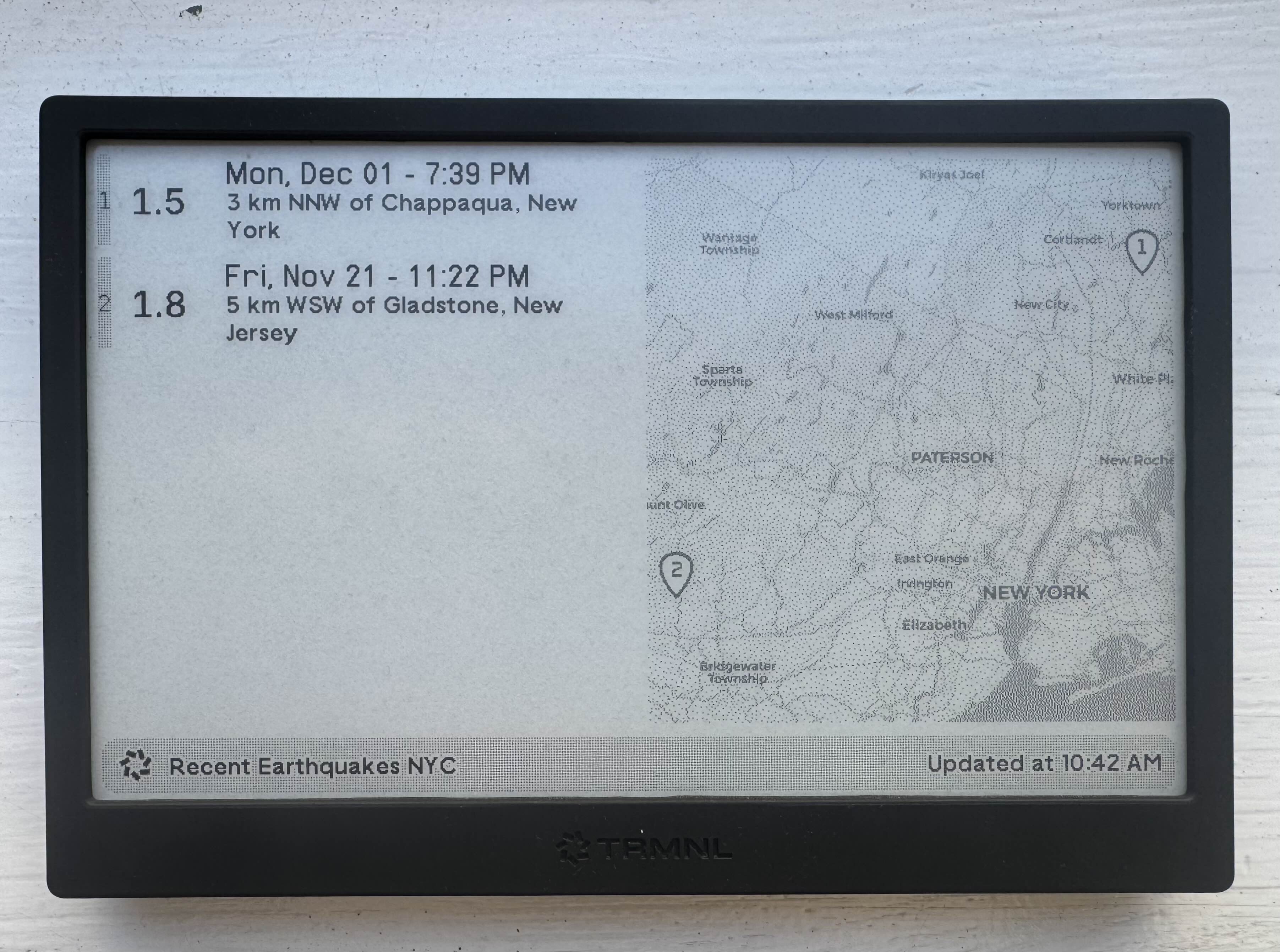
TRMNL Earthquake Recipe I’m having fun building TRMNL recipes! Here’s one that shows recent earthquakes (pulled from USGS’ public API) and plots them on a map.


NYC Subway Alerts plugin for TRMNL Trmnl is proving to be the internet connected eink screen I always wanted to build but never wanted to maintain. It lives in my kitchen and predominantely shows my calendar but I decided to try building a recipe of my own. It was pretty easy and I’m pretty happy with the result!


Uploading an entire directory to the Internet Archive: I had a collection of files around ~50 GB in size that I wanted to upload to a single item in the Internet Archive directly from my NAS. There is a cli that could work but didn’t have a trivial way to upload all the files in a directory. I tried the S3-compatible endpoint with Cyberduck but that also didn’t work as expected.

I ended up leaving running the Python library in a detached tmux session

# In Bash:
python3 -m venv venv;
source venv/bin/activate;
pip install internetarchive;

# In Python:
from internetarchive import upload
upload('DESTINATION_ITEM_ON_INTERNET_ARCHIVE', 'LOCAL_FOLDER/', access_key='YOUR_ACCESS_KEY', secret_key='YOUR_SECRET_KEY')

Note: Remember, uploading things to the Internet Archive makes the email address associated with your account publicly visible


Whiteface Mountain and Mount Esther


Grandpa hiked Mount Marcy in 1955. After hiking Mount Marcy twice myself I recognized where one of the pictures was taken.

Grandpa’s original photo, a lone hiker with backpack looks across Marcy Dam Pond up at Mount Marcy

Simulated terrain view of the location of the original picture from Google Earth

Google Maps terrain map

Marcy Dam was damaged by Hurricane Irene in 2011 and the dam has since been removed (Wikipedia).

The same view in 2019:

View in 2019